

How to install font package into HMI(Like Arabic or Hindi)?
Last modified by Joe on 2026/03/27 15:07
1. Find a suitable .ttf(TrueType font) file which can display the corresponding Language correctly in Windows. (For example, we can use Mangal for Hindi, Arial for Arabic);
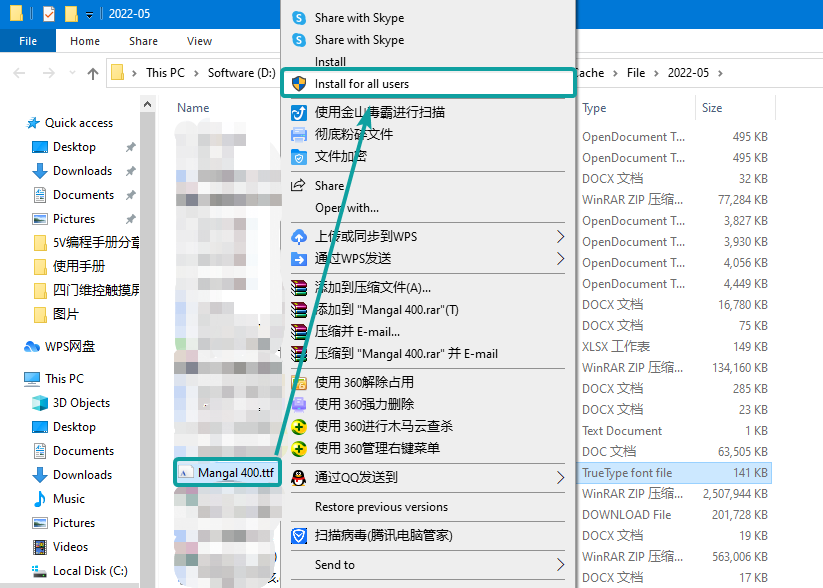
2. Install the .ttf file for all users(This step is for allow the font style able to be visible in Font Pack);
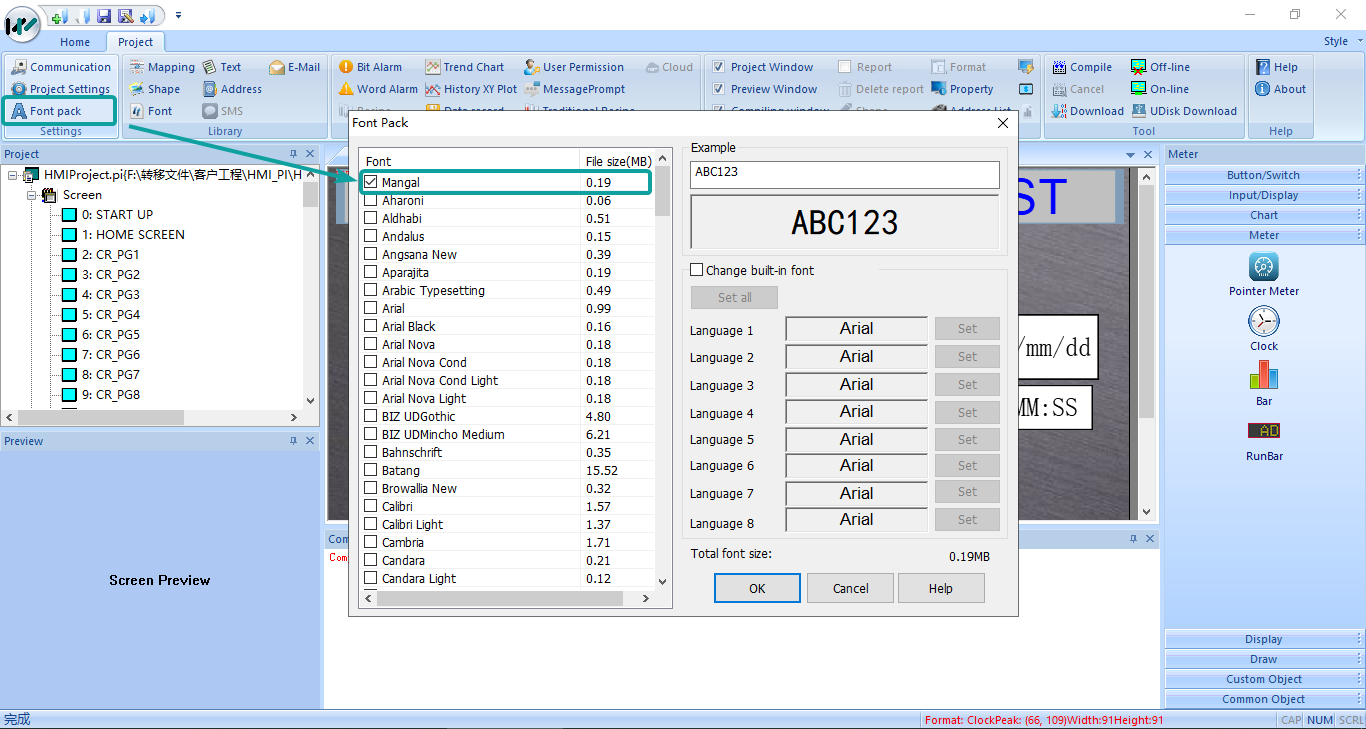
3. Enable the font style from Font Pack, if the font is not showed there, please confirm whether the Step 2 is finished or not;
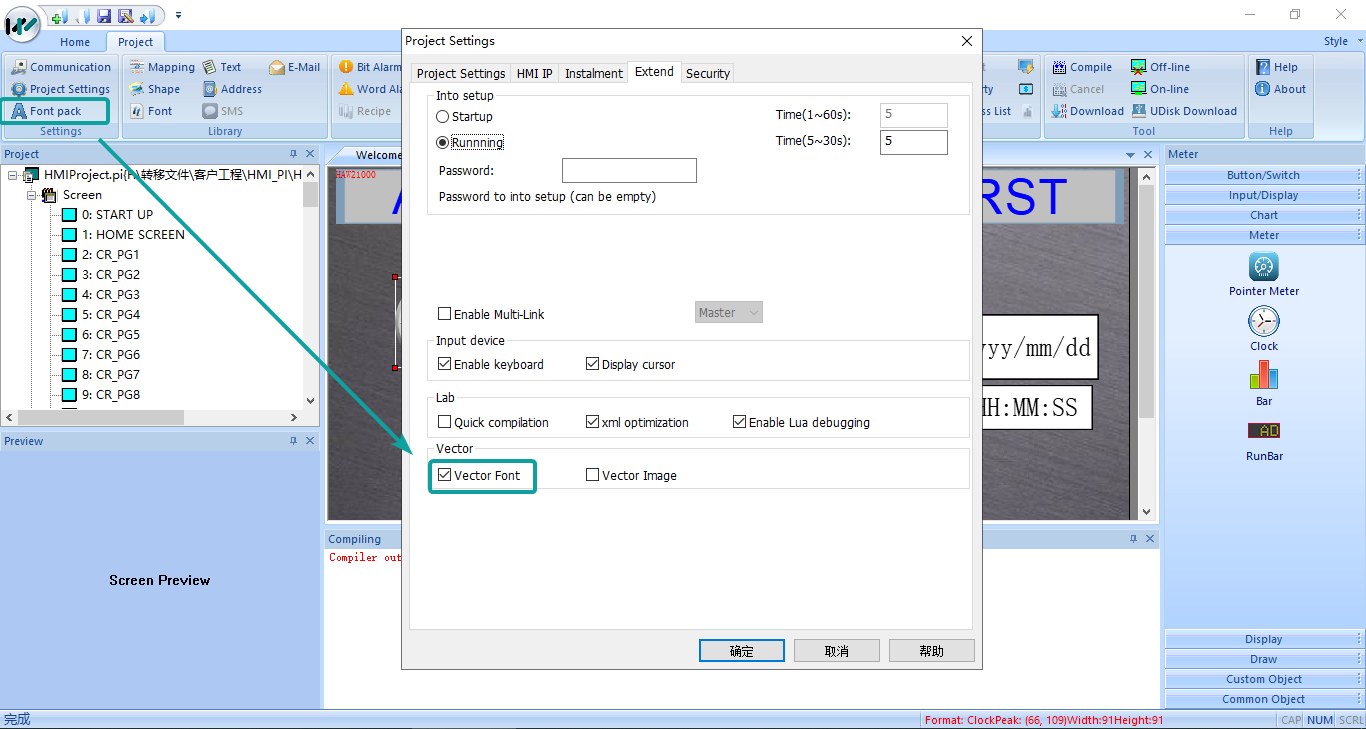
4. Enable the Vector Font from Project Settings;
5. Compile project, and download into HMI, the display will be normal;