How to connect V-BOX to V-Net first time?
1.Set V-BOX network
In general,V-BOX can use DHCP IP to connect with router,Then router will arrange DHCP IP to V-BOX
Sometimes,customer want to use Static IP,some note points as below:
(1) The static IP can not repeat with other computer
(2)If V-BOX ethernet port need to connect server,static IP need to set your local DNS.In China,Local DNS is 114,114.114.114 .You could search your local DNS IP from google
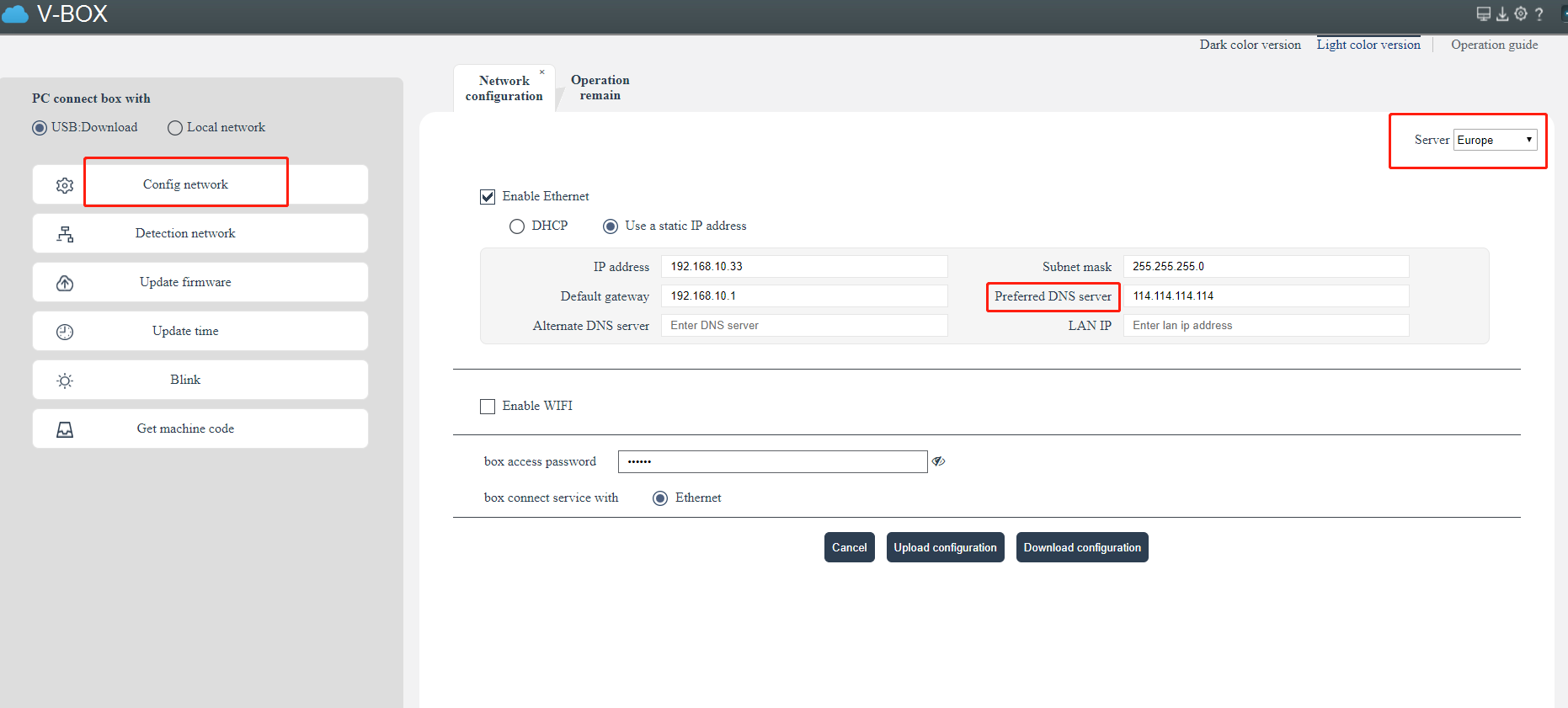
(3)Note to choose correct server.If your account log in europe VNET,Please choose Europe
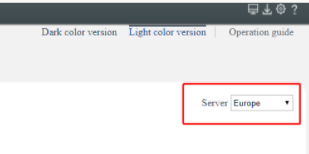
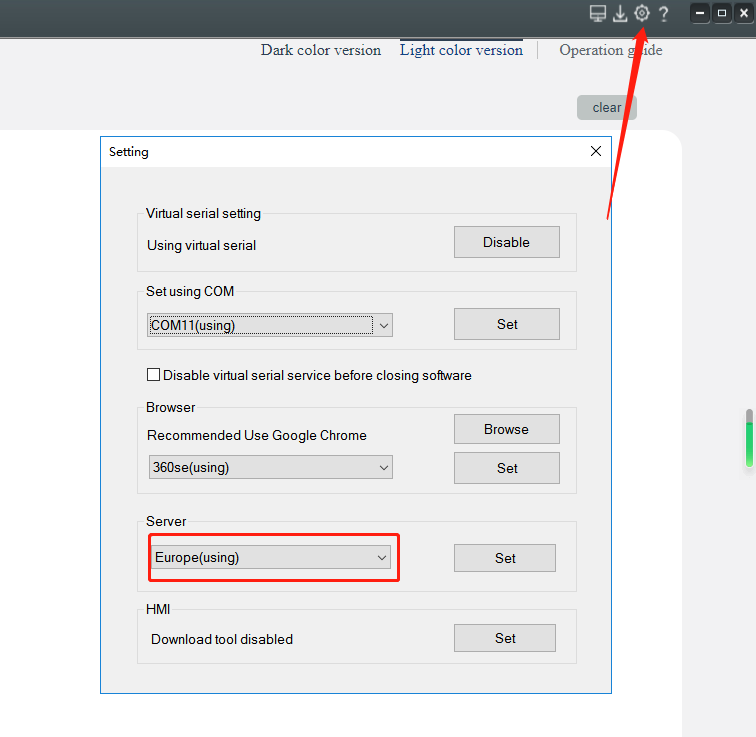
Click the button as below to select which server of VNET you want to use.If your account server and vbox network server setting are different.VBox can not be online in your account.So user can not bind V-BOX to wrong server account.
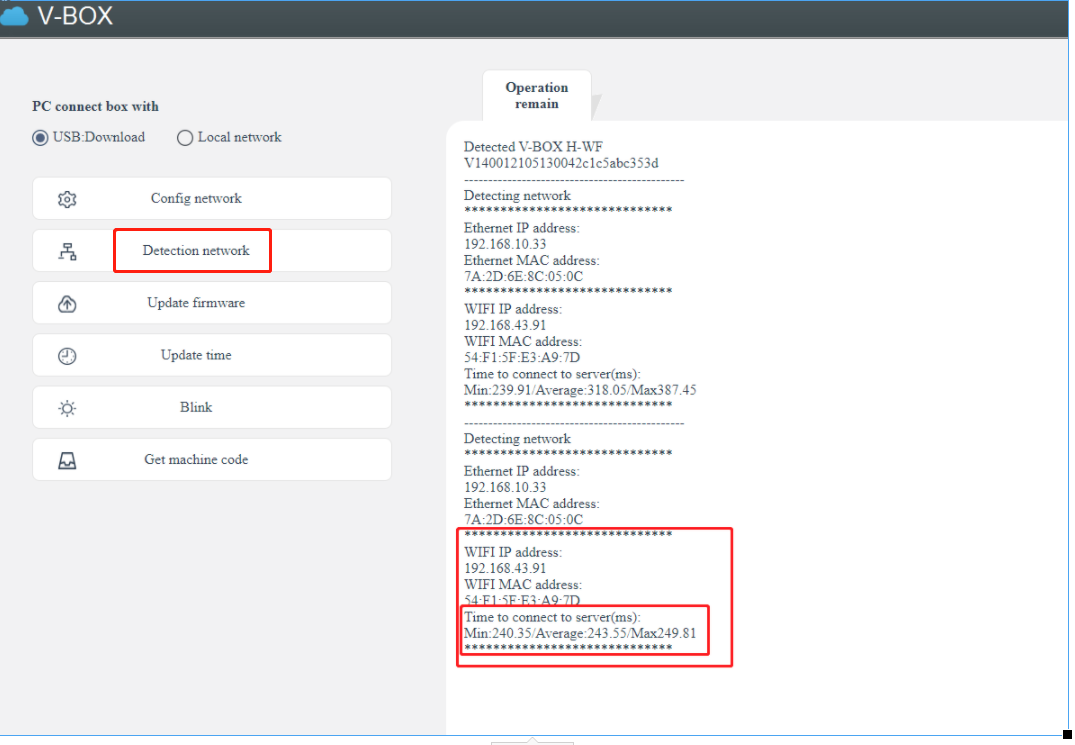
2.Detection network or test network
If V-BOX connect with server successfully,you will see similar message,like below "Time to connect to server(ms)" Min:240.35 Average 243.55/Max249.81
Make sure V-BOX connect server successfully,Then you can log V-NET of this server to bind VBOX.
Note:sometime,VBOX online state still do not send to VNET in time.So customer can not bind this vbox to account or V-BOX display offline.Please wait 2minutes and refresh VNET and try again.