How to migrate the V-Box from current server to another one server?
This demonstration make V-box migrate from Europe server to China server as example:
I. Backup Data Export
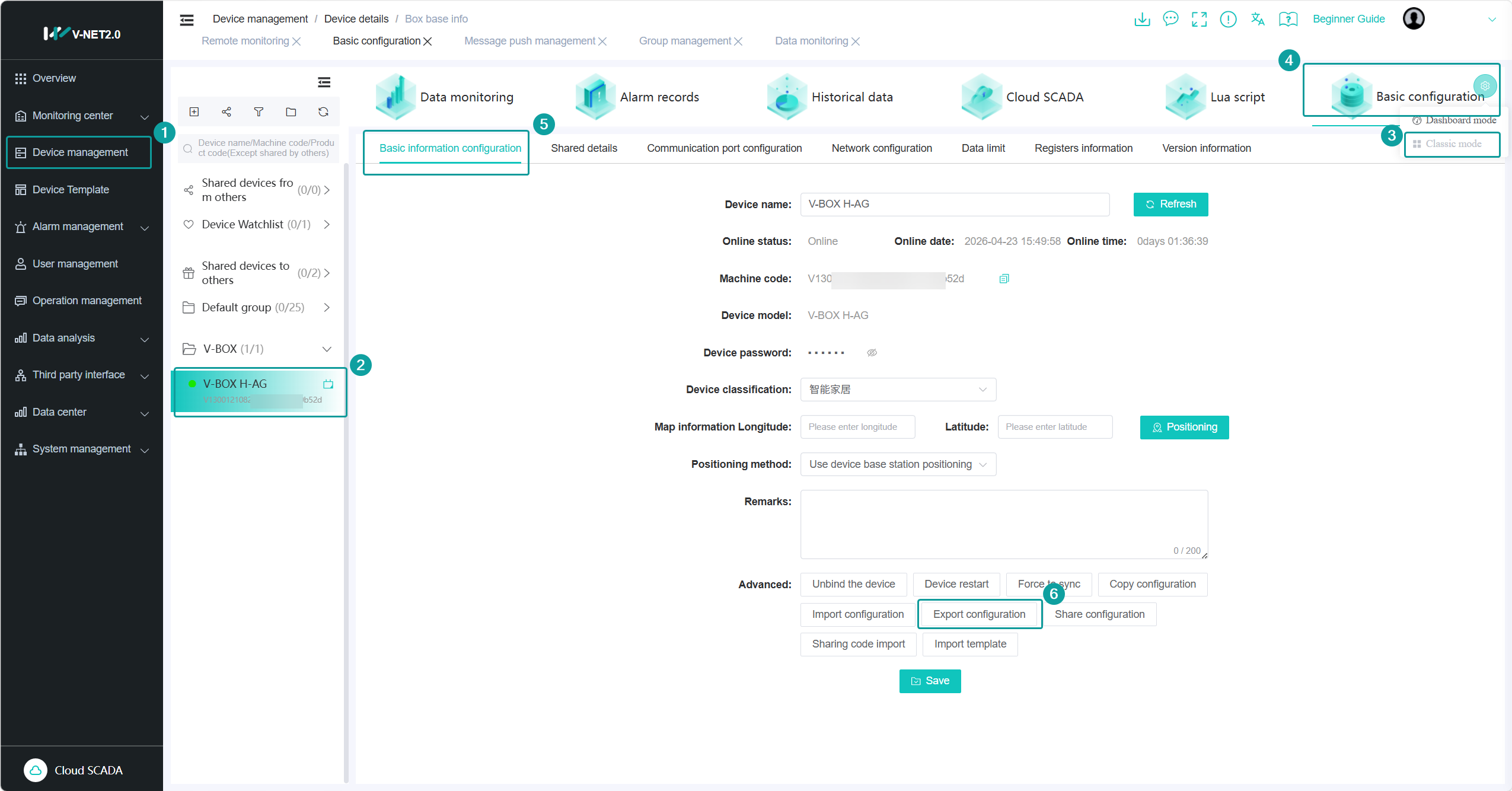
1. Export the communication configuration, real-time tags, alarm tags, historical tags from basic configuration tab, and save on desktop, the file suffix name is *.vbox;
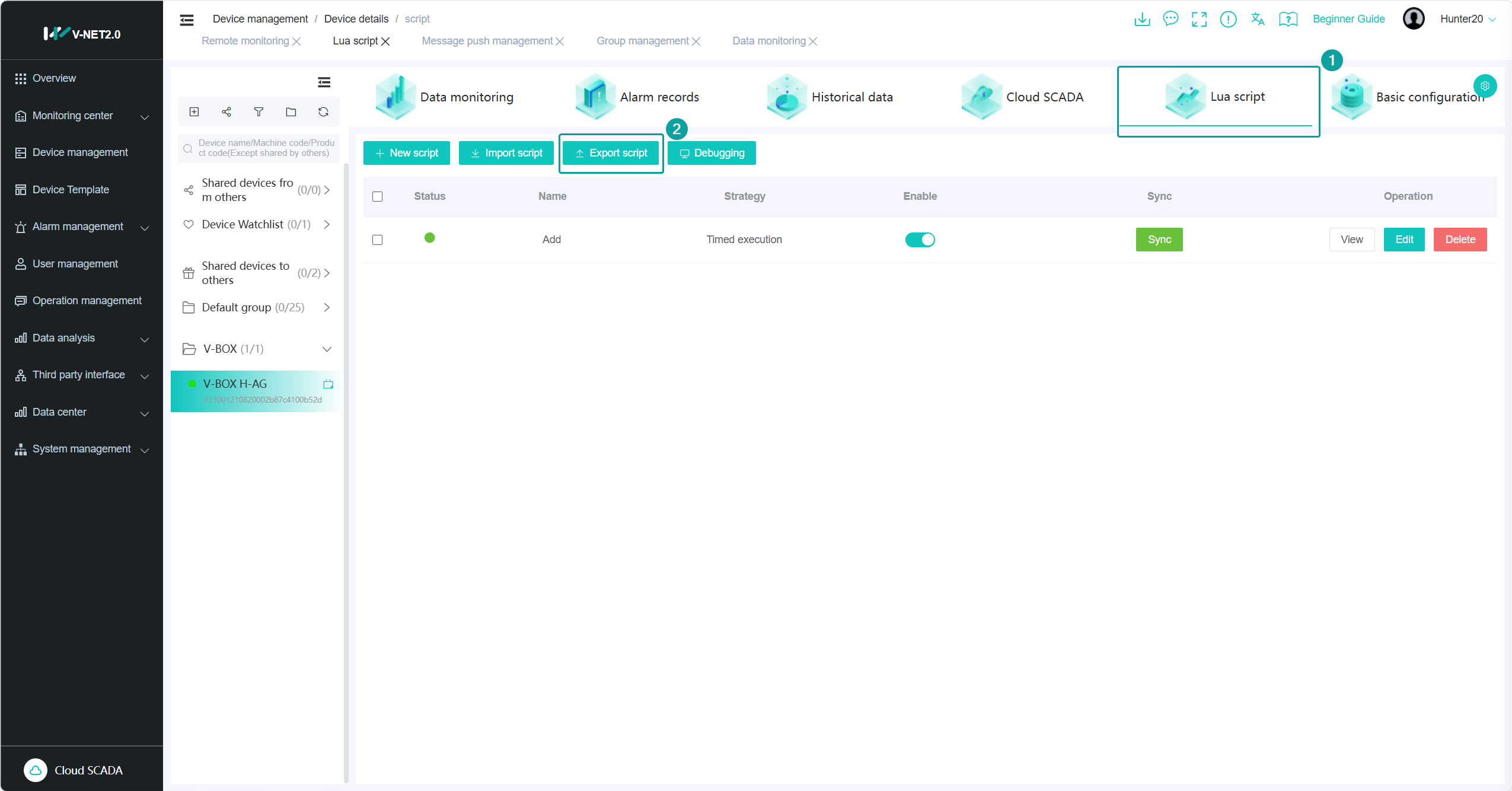
2. Export the lua script from Lua Script tab, and save on the desktop, the suffix is *.script;
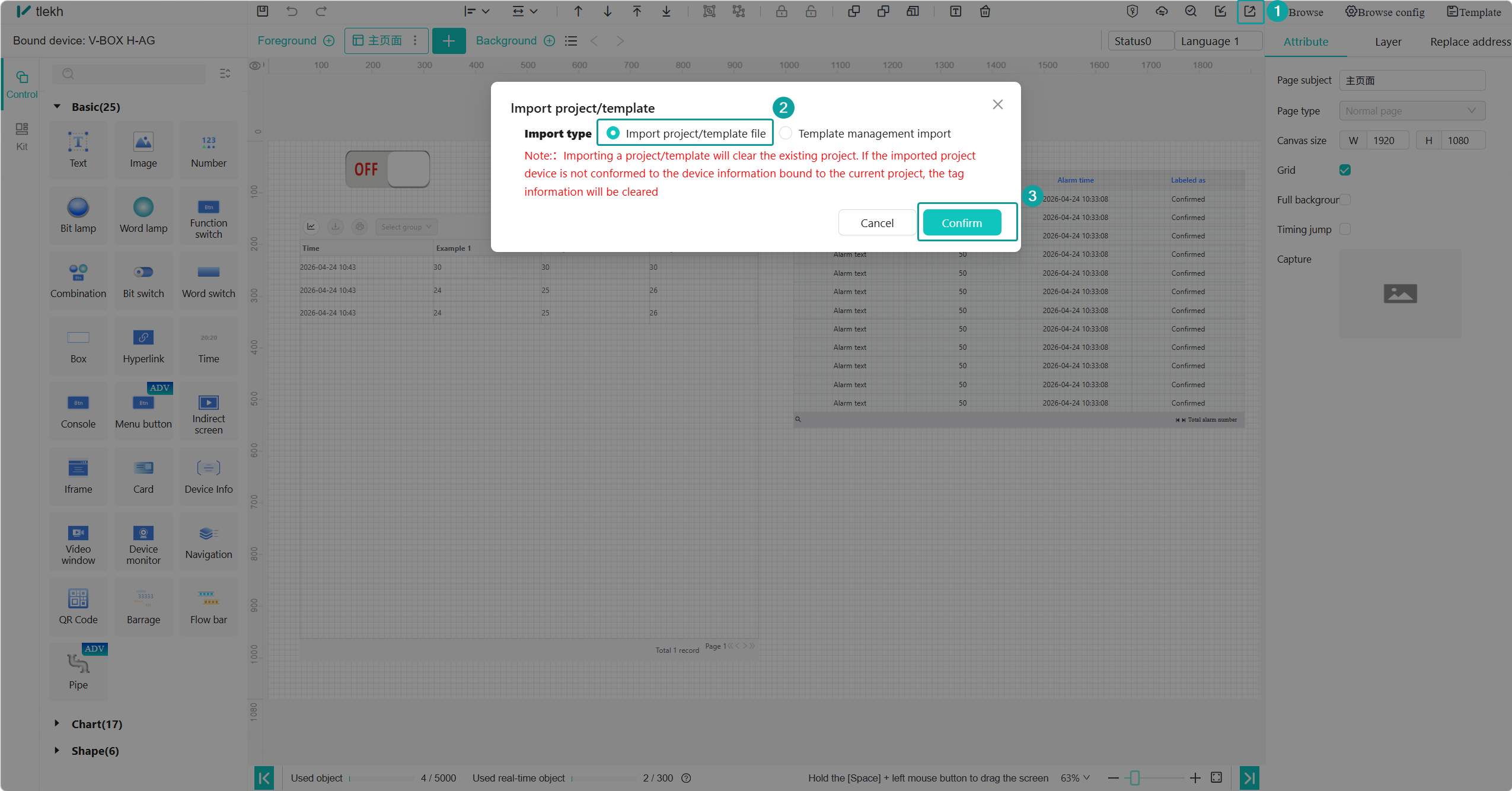
3. For cloud configuration projects that need to be migrated, enter the project's editing interface or the centralized monitoring interface to export the project. The file suffix is *.zt.

II. Backup Data Import
1.Bind the same V-BOX in another V-NET server
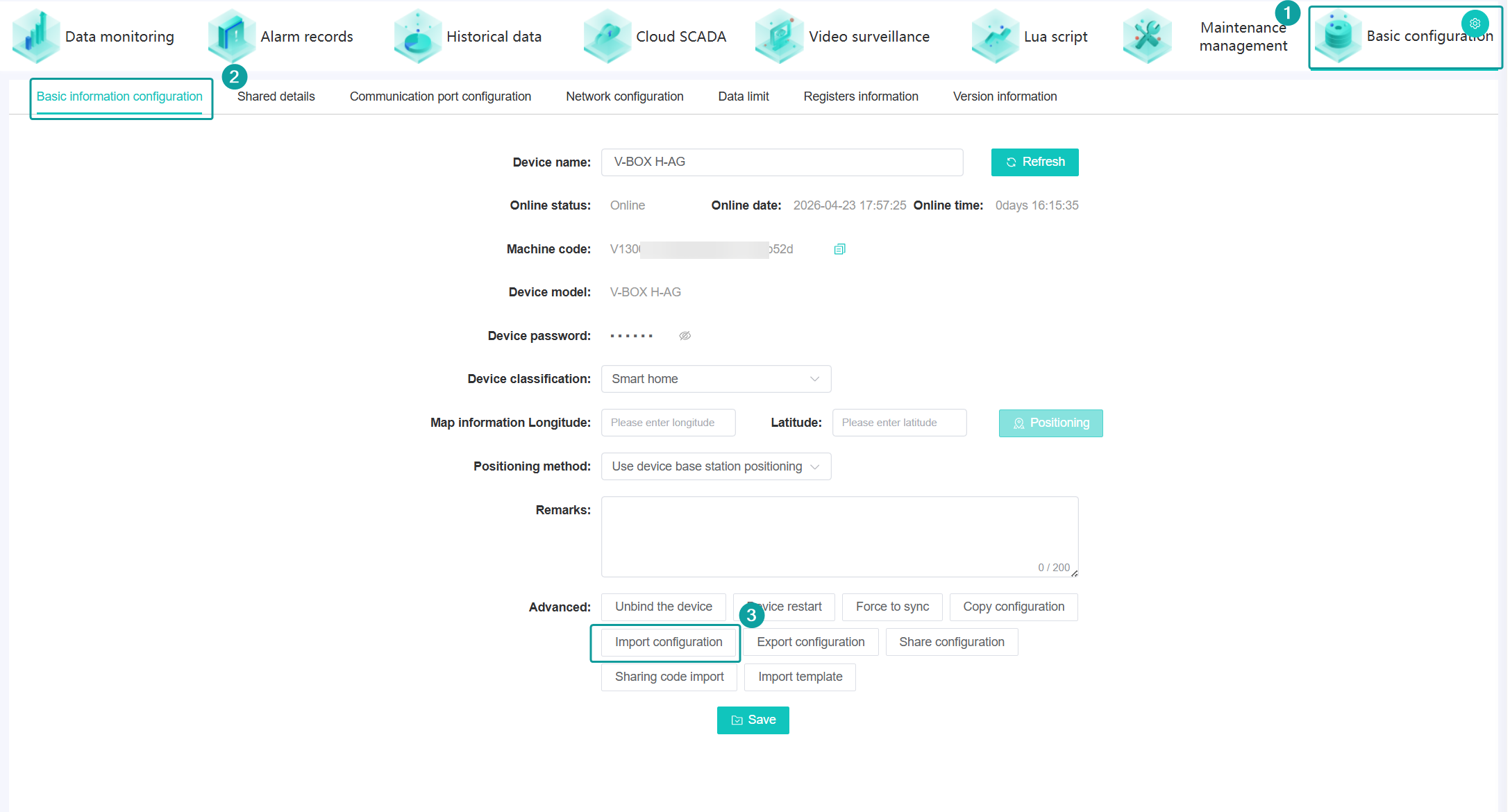
2.Import the communication configuration, real-time tags, alarm tags, historical tags from basic configuration tab, using *.vbox file
3. Import the lua script from Lua Script tab, using *.script file

3. Import the Cloud SCADA project from SCADA editing screen, using *.zt file