MEGMEET
Last modified by Wecon on 2025/09/03 21:04
MC Series
Supported Series: MEGMEET MC280 Series
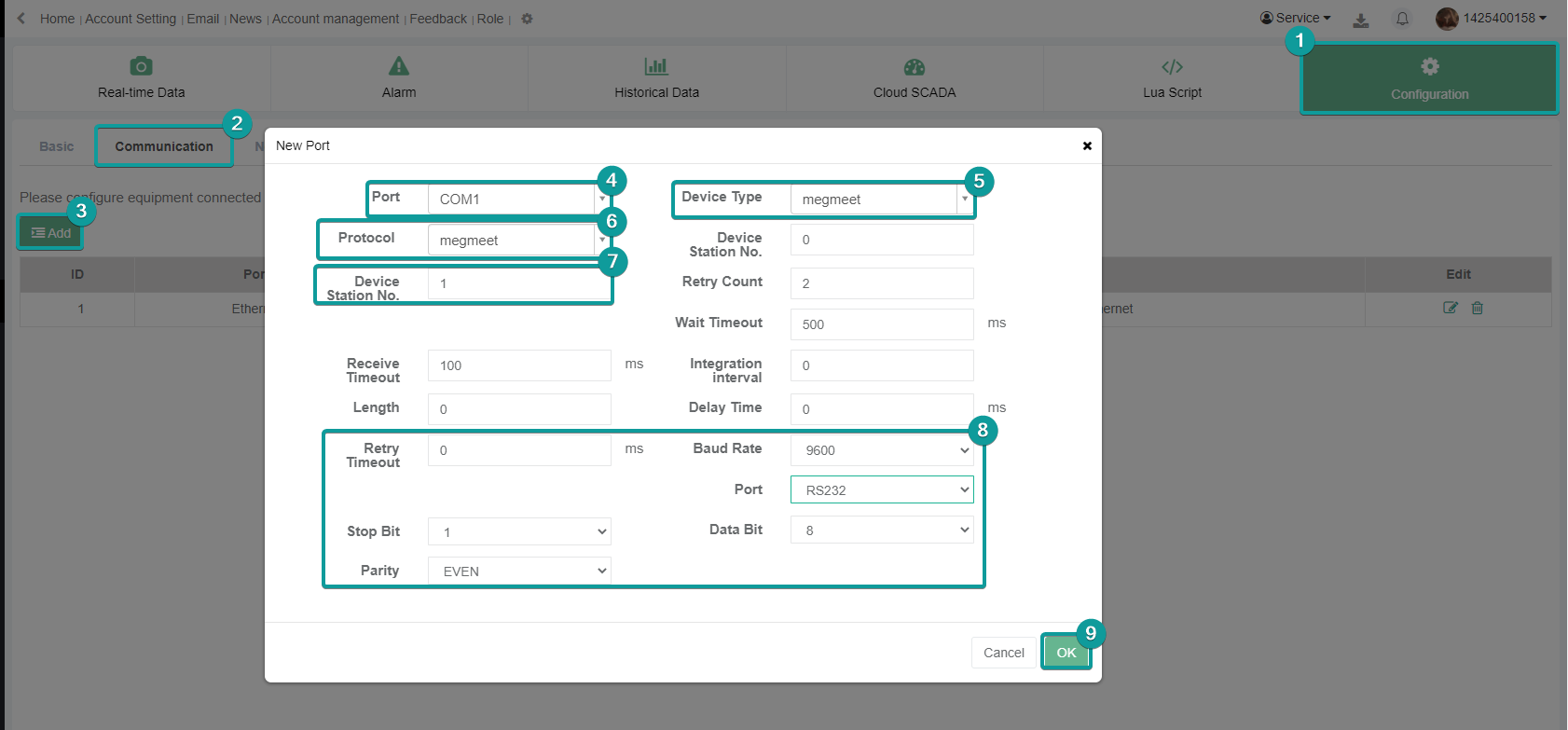
V-Box Settings
| Item | Settings | Note |
|---|---|---|
| Protocol | megmeet | |
| Connection | RS232 | |
| Baud rate | 9600 | |
| Data bit | 8 | |
| Parity | Even | |
| Stop bit | 1 | |
| PLC station No. | 0 |
Address List
| Type | Device registers | Format | Range | Note |
|---|---|---|---|---|
| Bit | Y | YOOO | 0~377 | |
| X | XOOO | 0~377 | ||
| M0 | M0DDDD | 0~2047 | ||
| M1 | M1DDDD | 2048~10239 | ||
| SM0 | SM0DDD | 0~255 | ||
| SM1 | SM1DDD | 256~512 | ||
| S0 | S0DDDD | 0~1023 | ||
| S1 | S1DDDD | 1024~4095 | ||
| T0 | T0DDD | 0~255 | ||
| T1 | T1DDD | 256~511 | ||
| C0 | C0DDD | 0~255 | ||
| C1 | C1DDD | 256~306 | ||
| D | DDDDD.dd | 0~7999.15 | ||
| R | RDDDDD.dd | 0~32767.15 | ||
| Word | D | DDDDD | 0~7999 | |
| Z | ZDD | 0~15 | ||
| TW0 | TW0DDD | 0~255 | ||
| TW1 | TW1DDD | 256~511 | ||
| SD0 | SD0DDD | 0~255 | ||
| SD1 | SD1DDD | 256~511 | ||
| CW | CWDDD | 0~306 | ||
| R | RDDDDD | 0~32767 | ||
| Double Word | CW0 | TDDDD | 0~9999 | |
| CW1 | CDDDD | 0~9999 |
PLC Settings
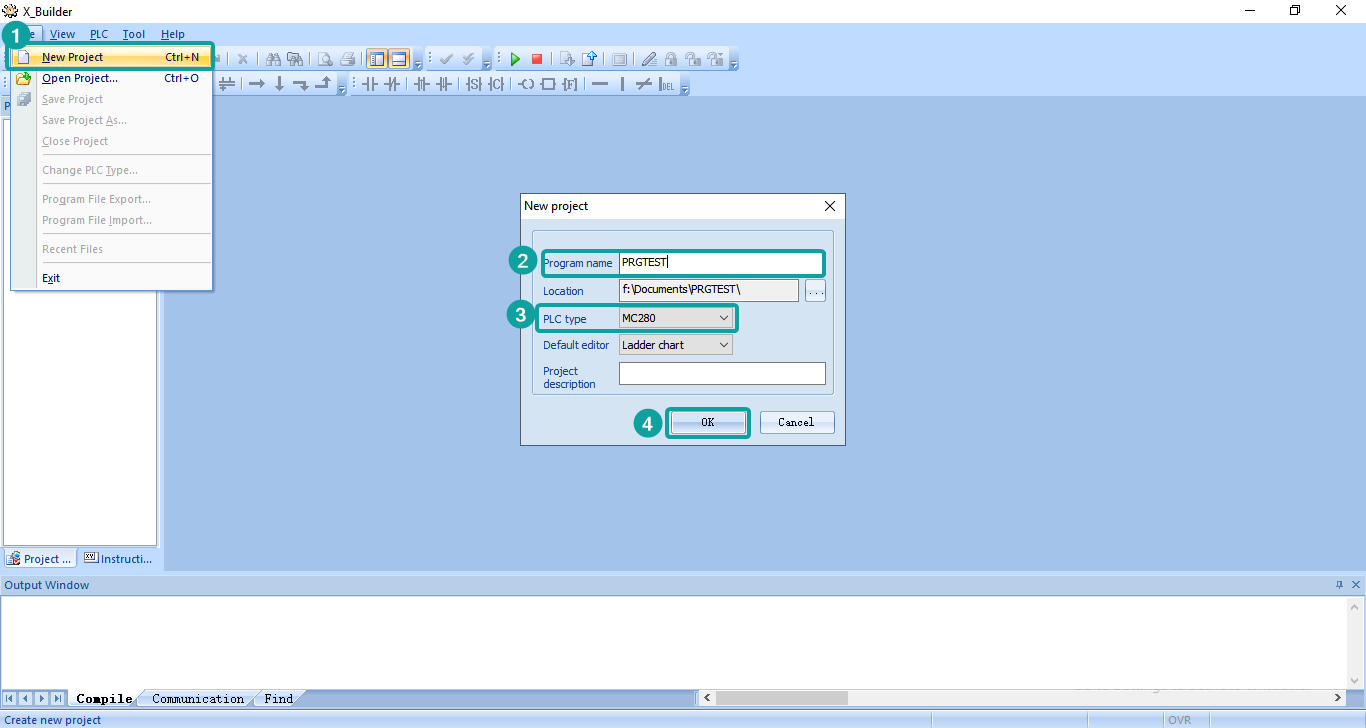
Create a new project and select the corresponding model
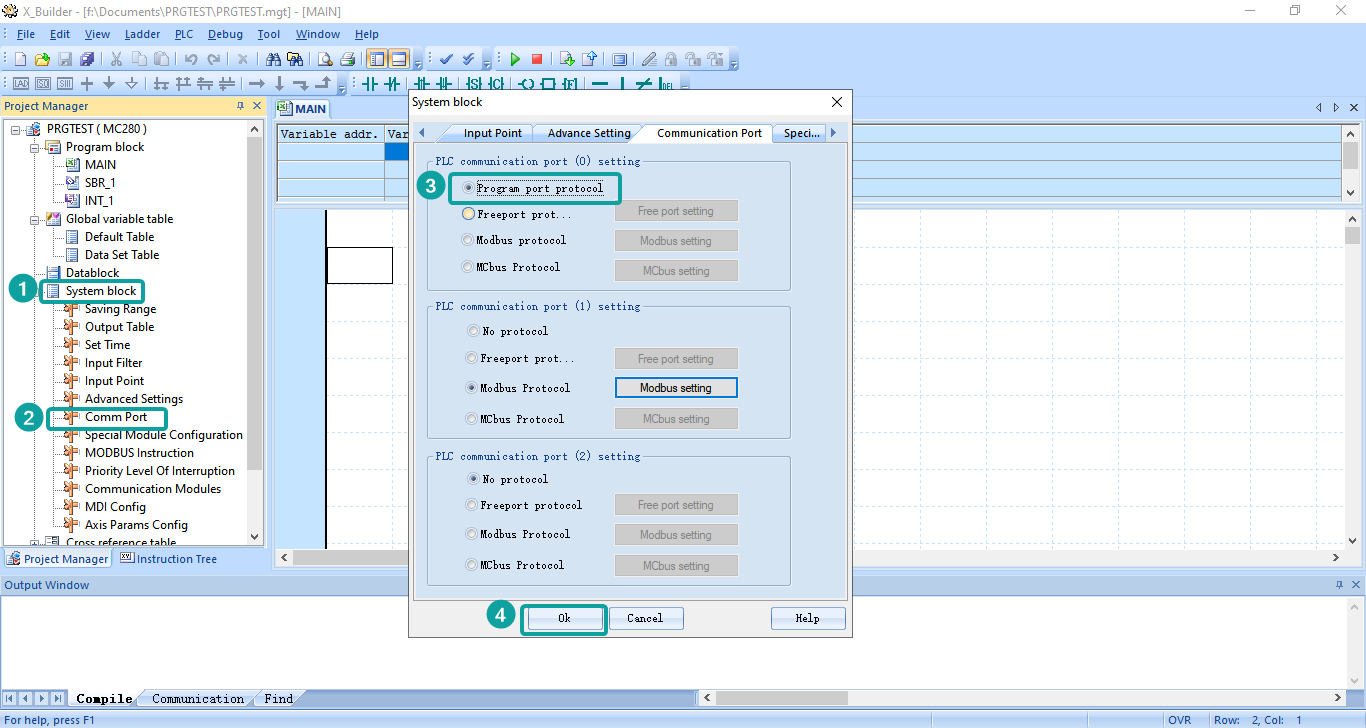
Set the Comm Port configuration from the System block tree node, select PORT0 as Program port protocol.
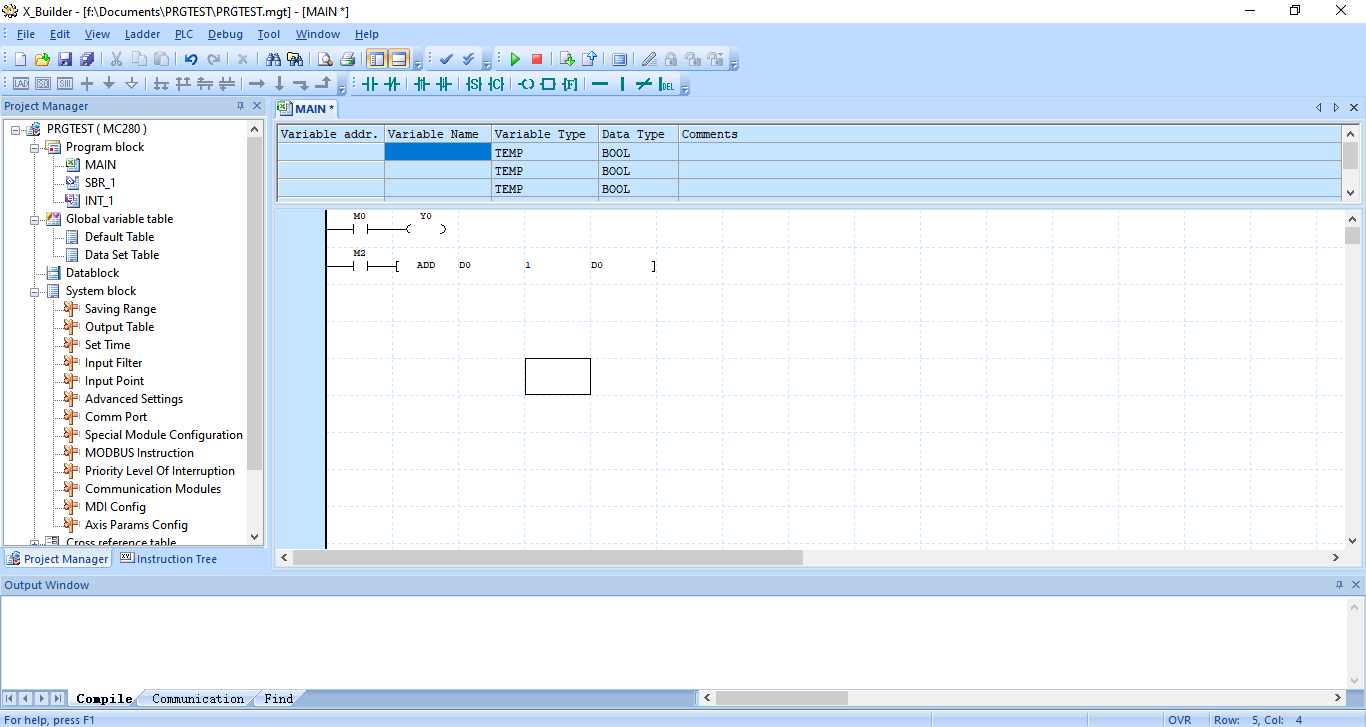
Program the PLC project
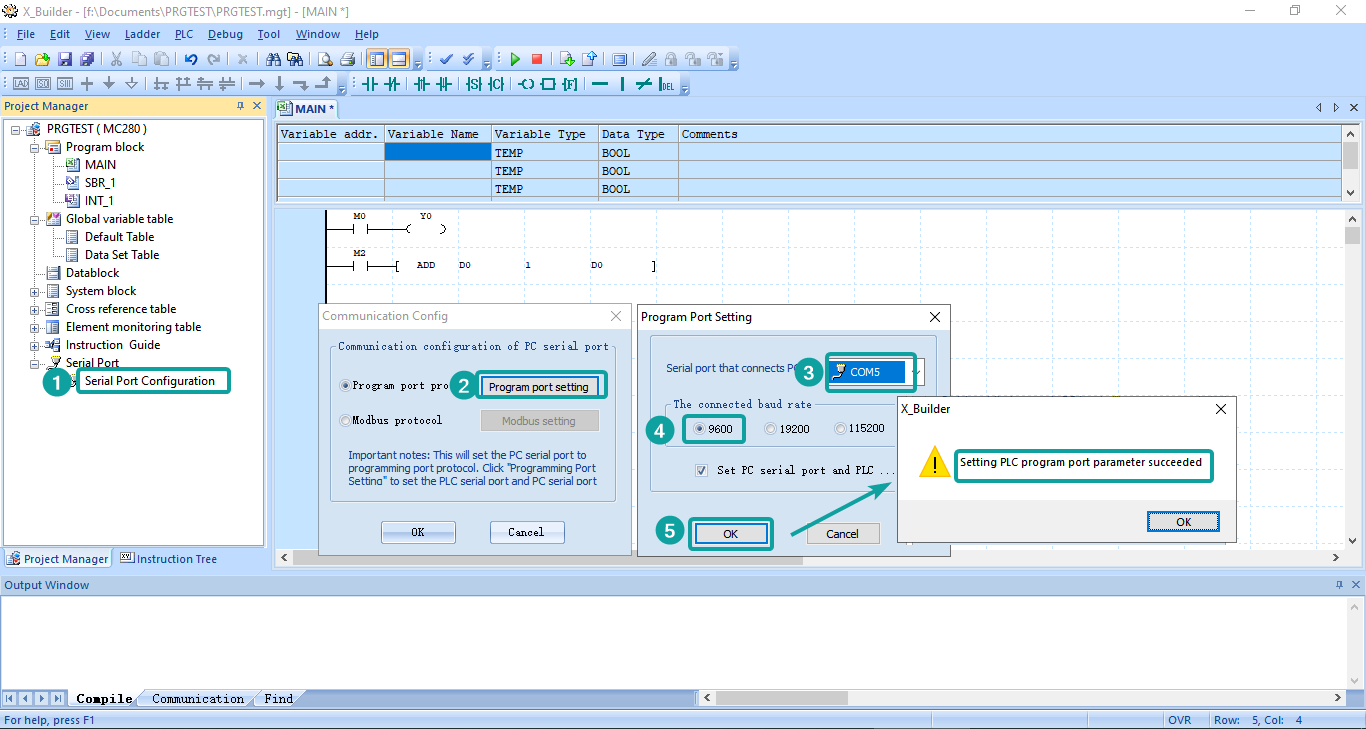
Connect PLC by RS232-USB convertor cable, and set the Serial Port settings. If the pop up like the following prompt, which means the connection is setup successfully.
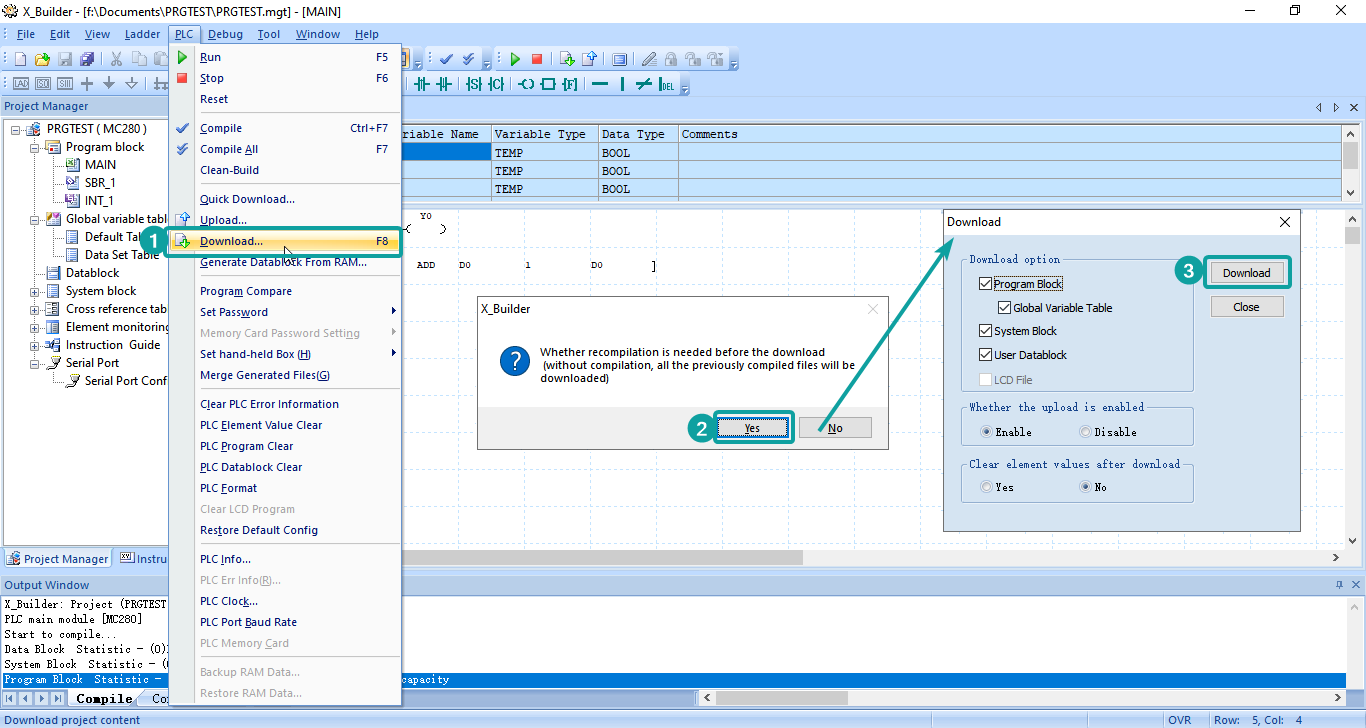
Find the PLC option on the toolbar, and click [Download...]-[Yes]-[Download] to process the download procedure.
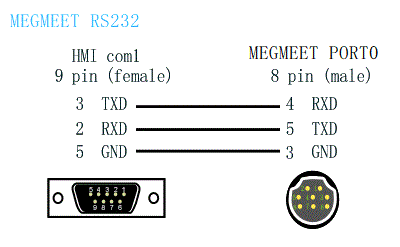
Cable Wiring