

IIOT V-BOX KẾT NỐI MYSQL
IIOT V-BOX KẾT NỐI MYSQL
* Các phần mềm hỗ trợ MySQL
-Phần mềm install MySQL : https://dev.mysql.com/downloads/installer/
-Phần mềm MySQL WorkBench: https://downloads.mysql.com/archives/workbench/
-Phần mềm Navicat: https://www.navicat.com/en/products/navicat-for-mysql
-Phần mềm HeidiSQL: https://www.heidisql.com/download.php#google_vignette/
* Thiết lập với MySQL Workbench
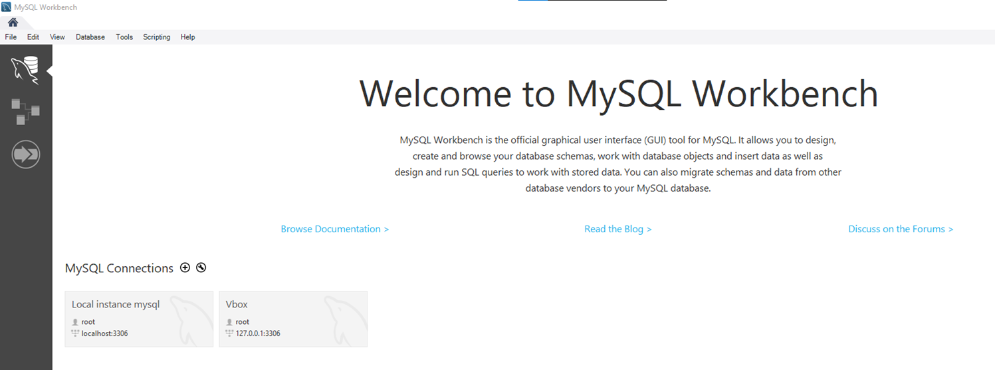
- Tạo new connections và kết nối với MySQL
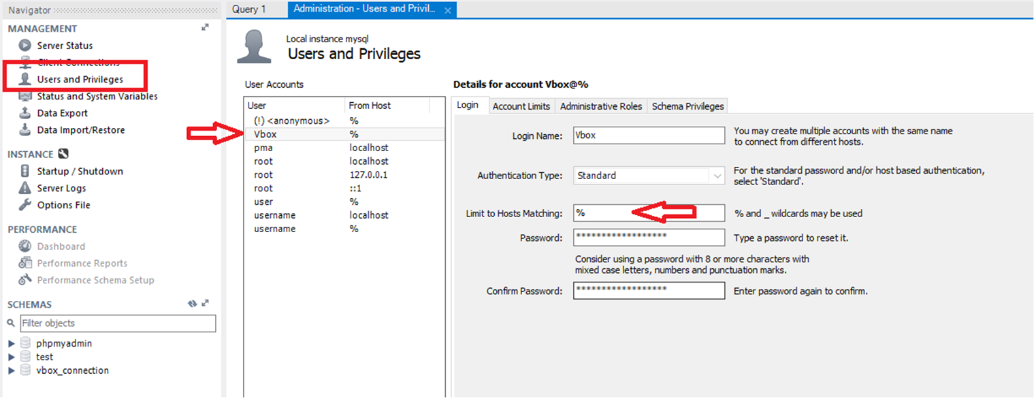
- Tại mục User and Privileges . Hiệu chỉnh User sẽ sử dụng với Limit to Hosts Matching = %
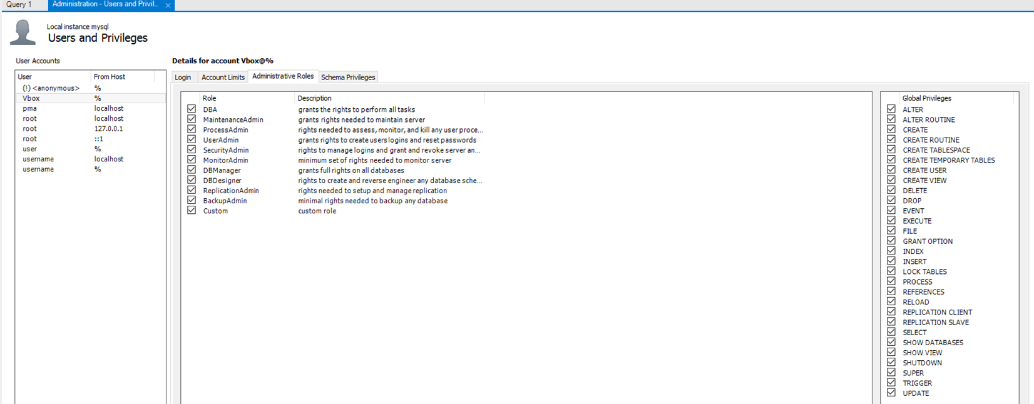
Setting roles tại muc Administrator Roles
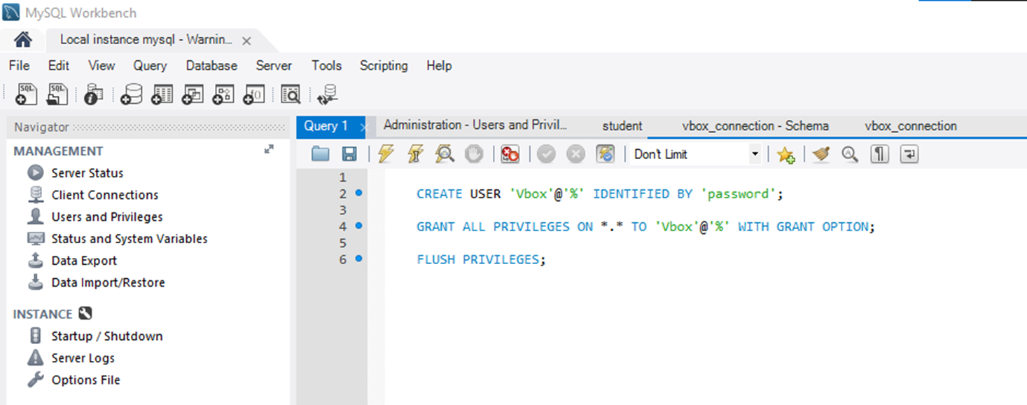
Có thể thiết lập User bằng lệnh
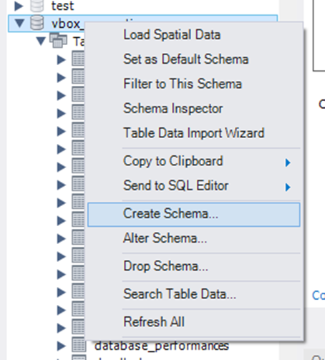
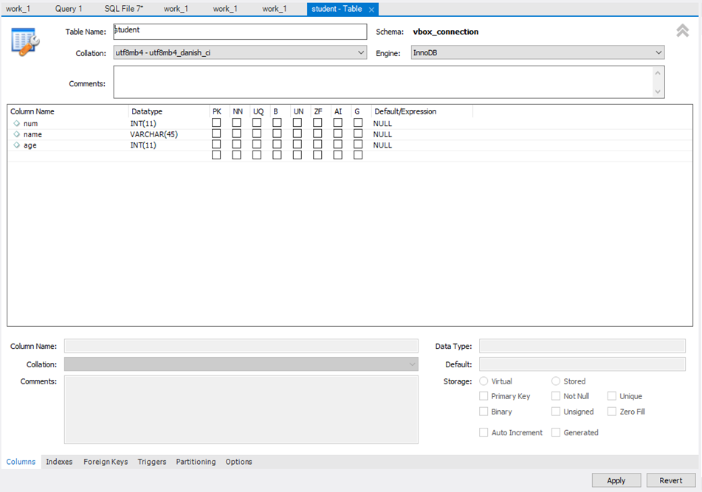
Tạo một table chứa dữ liệu
VD : Table “ Student” với columm “num, name, age”
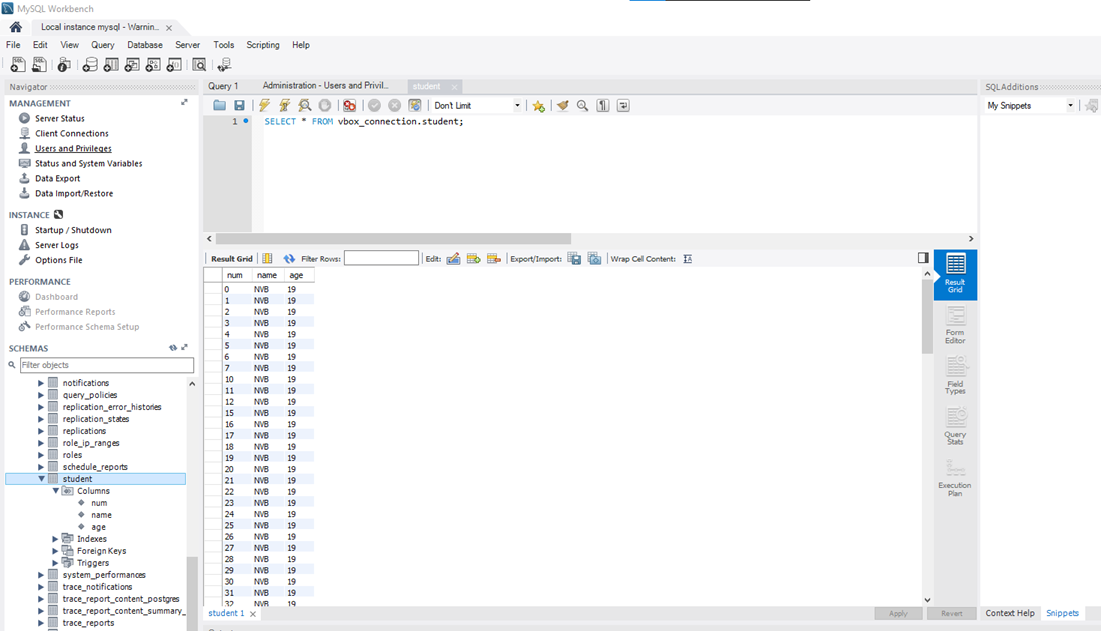
Sau khi tạo xong sẽ có một bảng dữ liệu với các trường đã khai báo
V-Box Script
-- #########################################################################################--
mysql = require("mysqlclient")
function DataInitRight()
local dbName = “vbox_connection"
local user = “Vbox"
local pwd = “password"
local host = "192.168.1.40"
local port = 3306
local character = "utf8mb4"
mysql.init(dbName, user, pwd, host, port, character)
end
function ExecFunc()
status, errorString = mysql.exec("delete from student where Name = 'XXX';")
--Delete statement, column name = table element
if nil == status then
print("ExecFunc() error:", errorString)
return -1
else
print("the number of rows affected by the command:", status)
end
return 0
end
function ExecWithResultFunc()
status, errorString = mysql.execWithResult("select * from student;")
if nil == status then
print("ExecWithResultFunc() error:", errorString)
return -1
else
print("ExecWithResultFunc() success : status type = ", type(status))
print("ExecWithResultFunc() success : status len = ", #status)
local num = #status
local i = 1
if num > 0 then
for i = 1, num, 1 do
local var = string.format("select result[%d] :Num = %d,Name = %s,Age = %d", i, status[i].Num, status[i].Name,status[i].Age)
--Iterate through the data in the table, noting whether the elements are strings or numbers
print(var)
end
end
print("---------------")
end
return 0
end
function MySQL.main()
print("script running ...")
DataInitRight()
-- use exec demo
if ExecFunc() < 0 then
return
end
-- use execWithResult demo
if ExecWithResultFunc() < 0 then
return
end
print("script running success")
end
-- ################################################################################################--
MySQL.init( string sourcename, string username, string password, string host, number port, string character )
-Khai báo kết nối với mySQL
-String sourcename : database source name (dbname)
-String username : user name login MySQL
-String password: password login MySQL cùng với user name tương ứng
-String Host: Tên Host, chỉ mục lưu trữ MySQL
- Number port : Port sử dụng cho MySQL ( mặc định 3306 )
-String character : chuẩn kí tự sử dụng
Ví dụ
local dbName = “vbox_connection"
local user = “Vbox"
local pwd = “password"
local host = "192.168.1.40"
local port = 3306
local character = "utf8mb4"
mysql.init(dbName, user, pwd, host, port, character)
* MySql.exec(string statement)
-Thực hiện lệnh gửi đến MySQL và không cần nhận thông tin phản hồi
VD:
status, errorString = mysql.exec("delete from student where Name = 'XXX
if nil == status then
print("ExecFunc() error:", errorString)
return -1
else
print("the number of rows affected by the command:", status)
end
return 0
* MySql.execWithResult(string statement)
-Thực hiện lệnh gửi đến MySQL và nhận thông tin phản hồi
VD:
status, errorString = mysql.execWithResult("select * from student;")
if nil == status then
print("ExecWithResultFunc() error:", errorString)
return -1
else
print("ExecWithResultFunc() success : status type = ", type(status))
print("ExecWithResultFunc() success : status len = ", #status)
local num = #status
local i = 1
if num > 0 then
for i = 1, num, 1 do
local var = string.format("select result[%d] :Num = %d,Name = %s,Age = %d", i, status[i].num, status[i].name,status[i].age)
print(var)
end
end
print("---------------")
end
return 0
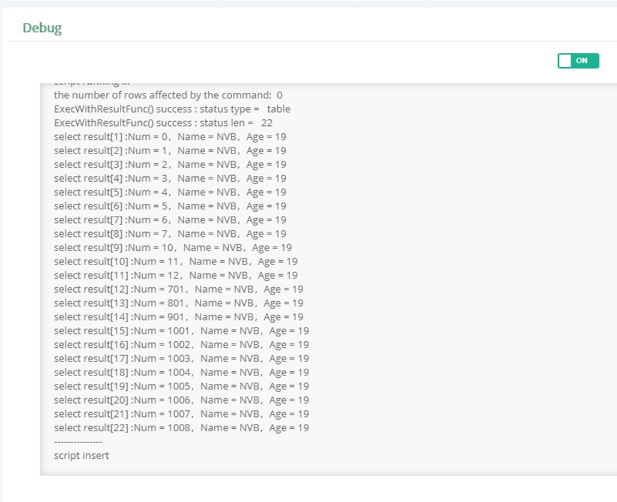
Kết quả
* Một số lỗi thường gặp
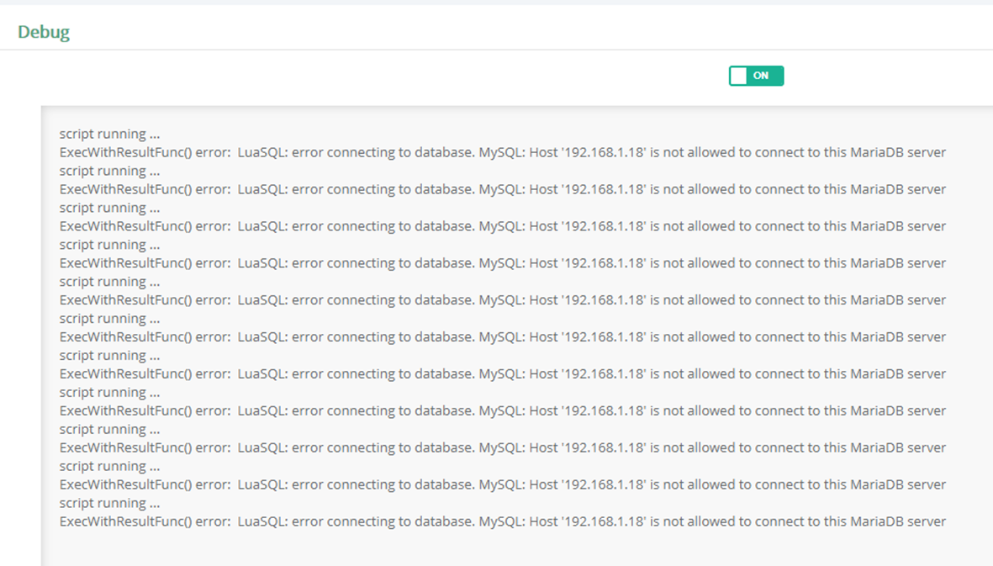
-MySQL không cấp quyền truy cập dữ liệu
à Kiểm tra lại phần cấp quyền Administrator Roles
-MySQL: Host 192.168.XXX.XXX is not allowed to connect.
à Kiểm tra khai báo source, host, user name, password, port ….
-MySQL Error :
-Error 1175 : You are using safe update mode and you tried to update a table without a WHERE that uses a KEY column To disable safe mode, toggle the option in Preferences -> SQL Editor and reconnect. 0.000 sec
Go to Edit --> Preferences
Click "SQL Editor" tab and uncheck "Safe Updates" check box
Query --> Reconnect to Server // logout and then login
Now execute your SQL query
-Error Code: 1046. No database selected Select the default DB to be used by double-clicking its name in the SCHEMAS list in the sidebar. 0.000 sec
à Set as default SCHEMAS