

How to change screen by HMI register?
Last modified by Wecon on 2025/09/03 21:03
There are three ways to change the screen No.
1. Enable "Use Screen ID Address"
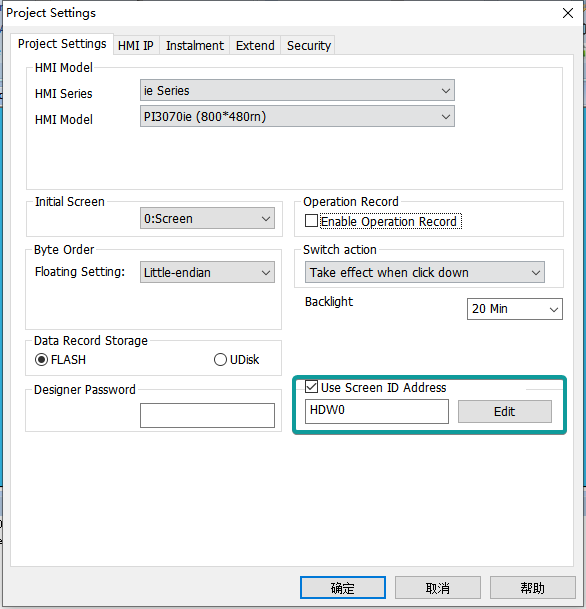
2. Internal address HSW13
3. Internal address HUW0
Need to change the value of HSW12 to 1. (The default value of HSW12 is 0)