

IEC60870-5 104
IEC60870-5 104 Client
HMI Setting
| Items | Settings | Note |
| Protocol | IEC60870-5 104 Client | |
| Connection | Ethernet | |
| Port No. | 2404 |
Address List
| Type | Register | Range |
| Bit | SPTB | 0~16777215.7 |
| SCNA | 0~16777215.7 | |
| DPTB | 0~16777215.7 | |
| DCNA | 0~16777215.7 | |
| METF | 0~16777215.7 | |
| SENC | 0~16777215.7 | |
| SENA | 0~16777215.7 | |
| MENA | 0~16777215.7 | |
| METD | 0~16777215.7 | |
| Word | SPTB | 0~16777215 |
| SCNA | 0~16777215 | |
| DPTB | 0~16777215 | |
| DCNA | 0~16777215 | |
| SENA | 0~16777215 | |
| MENA | 0~16777215 | |
| METD | 0~16777215 | |
| INRO | 0~16777215 | |
| TIMESYN | 0~16777215 | |
| TIMEZ | 0~16777215 | |
| NTP | 0~16777215 | |
| Double word | METF | 0~16777215 |
| SENC | 0~16777215 |
Address Configuration
The address registers of the IEC60870-5-104 protocol are SPTB, SCNA, DPTB, DCNA, METF, and SENC. The protocol needs to be added with an extension tag "ASDU", which could only be added in the [Address Identification Library], other places are not editable, that is, the read address in the object or script is not editable.


Extended tag name
Address range for the extended tag.
Communication Settings
Enable HMI Ethernet in [Project Settings];

Set PLC IP in [Device IP] settings;

Cable Wiring

IEC60870-5 104 Server
HMI Setting
| Items | Settings | Note |
| Protocol | IEC60870-5 104 Client | |
| Connection | Ethernet | |
| Port No. | 2404 |
Address List
| Type | Register | Range |
| Bit | SPNA | 0~16777215 |
| SCNA | 0~16777215 | |
| Word | DPNA | 0~16777215 |
| DCNA | 0~16777215 | |
| STNA | 0~16777215 | |
| MENB | 0~16777215 | |
| SENB | 0~16777215 | |
| RCNA | 0~16777215 | |
| Double Word | MENA | 0~16777215 |
| MENC | 0~16777215 | |
| SENA | 0~16777215 | |
| SENC | 0~16777215 | |
| ITNA | 0~16777215 | |
| BONA | 0~16777215 | |
| BCNA | 0~16777215 |
Communication Settings
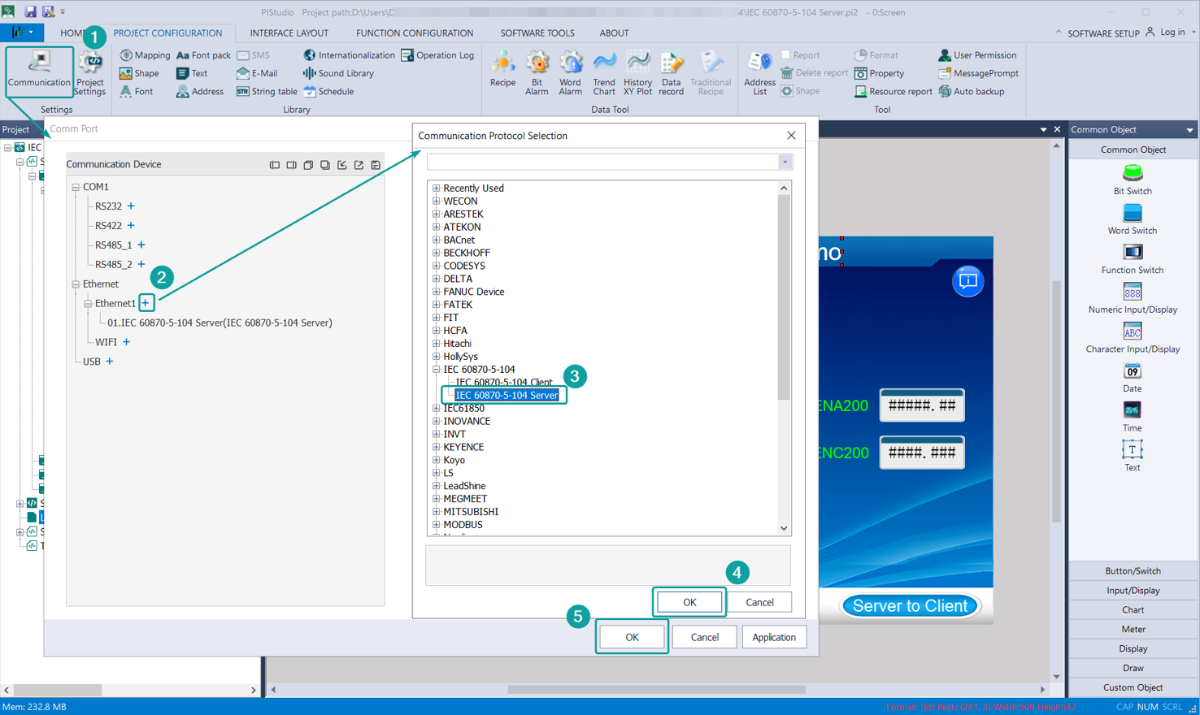
1. Add protocol
Create an HMI project and add the IEC 60870-5-104 Server Protocol (Please use PIStudio v11.4.55 or above)
2. Parameter setting
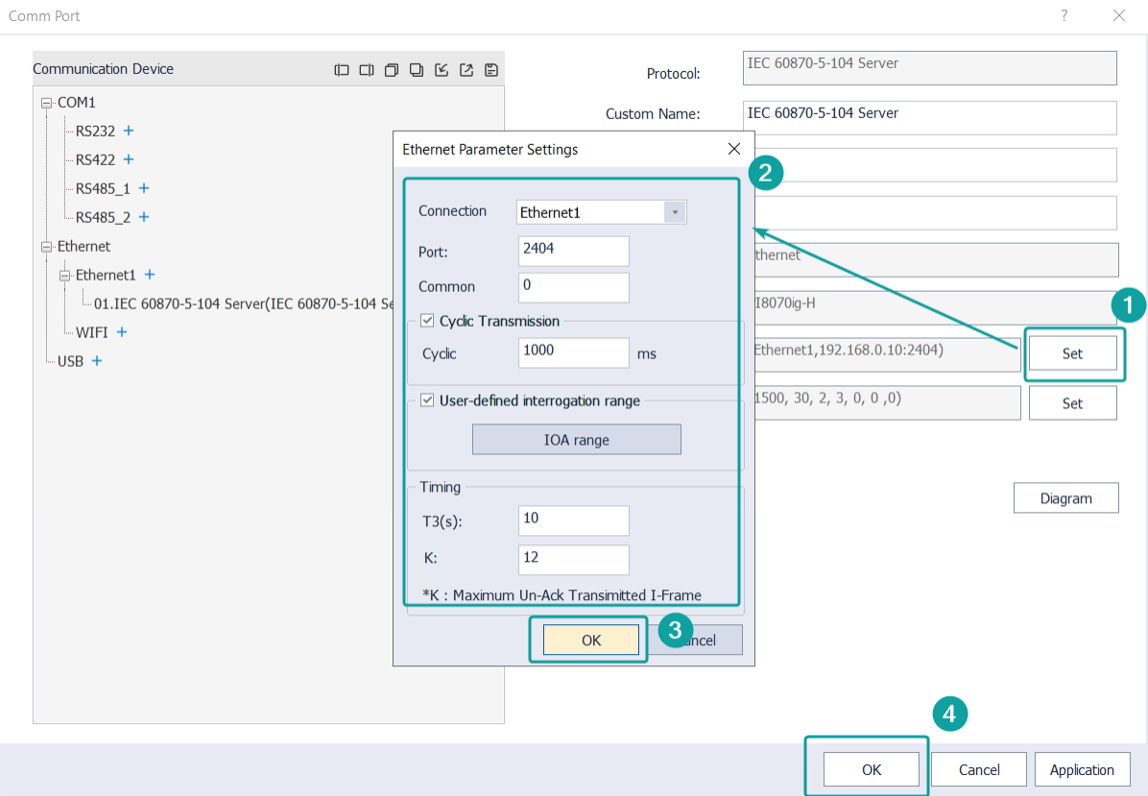
Configure the port number, K value and T3 parameter as required by the on-site project conditions.
Project Programming
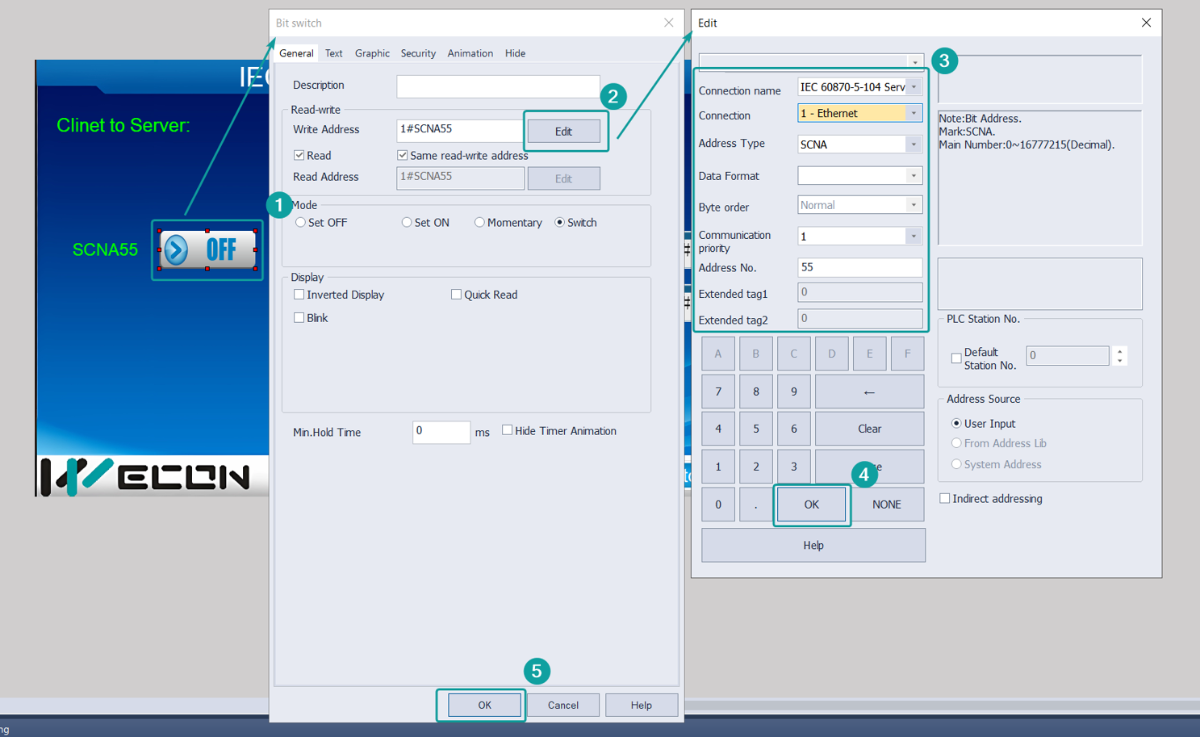
1. Add the component and assign the data register
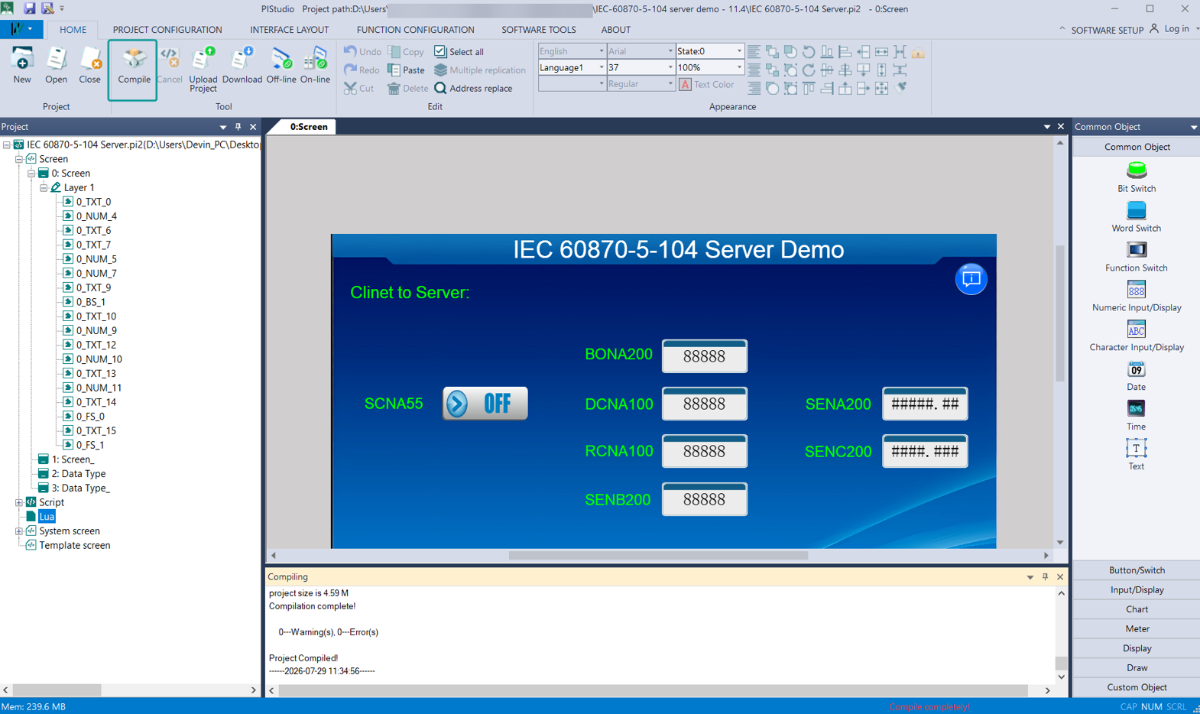
2. After programming,[Home]→[Compile],you can download the project into HMI when compilation complete
Cable Wiring