

How to create a third-party account for V-net API?
A third-party account is used to access the V-net 2.0 API function and must be applied for separately within your account. Currently, a single master account or sub-account can apply for a maximum of 3 third-party accounts.
How to Apply:
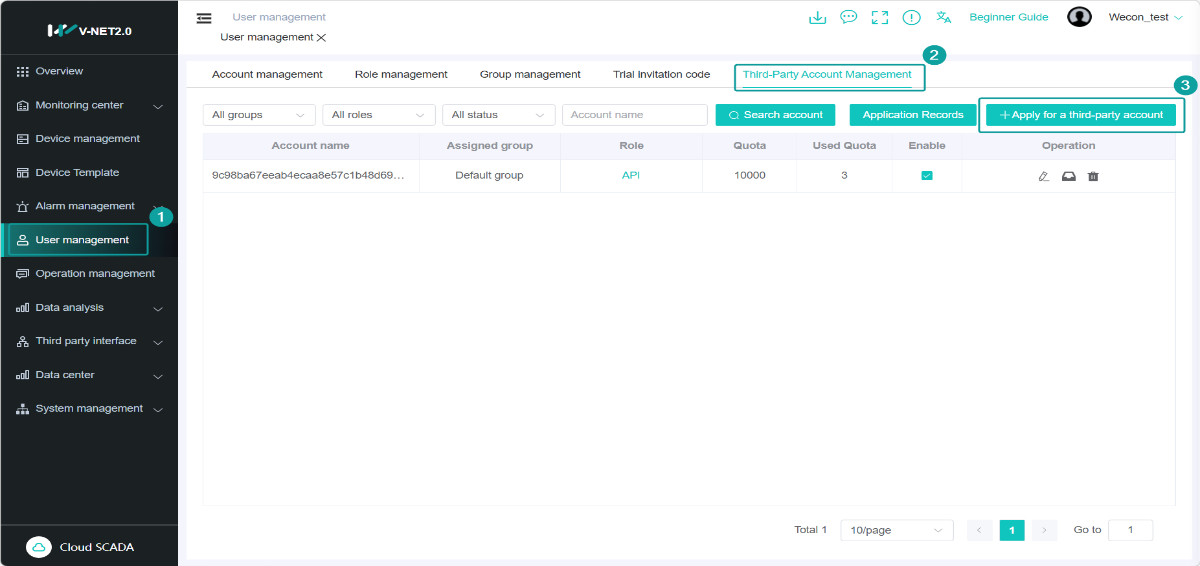
1. Navigate to [User management] > [Third-party account management] ,Click [Apply for a third-party account]
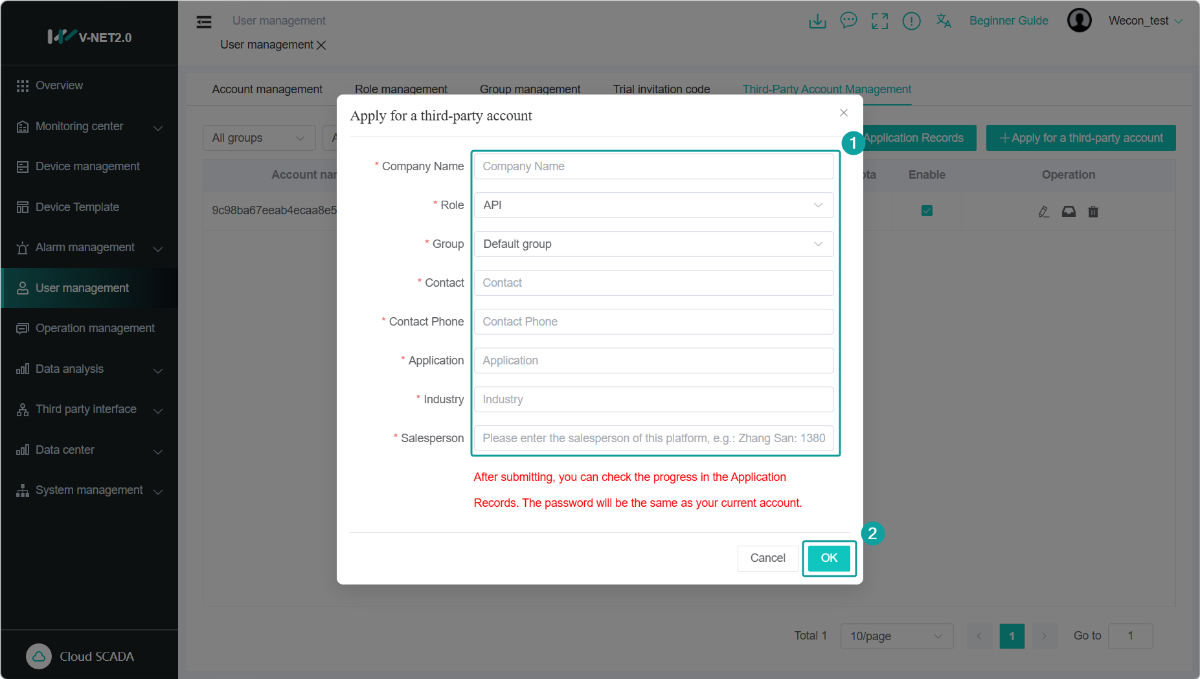
2.In the pop-up window, fill in all the required information completely. Click [OK] to submit your application.
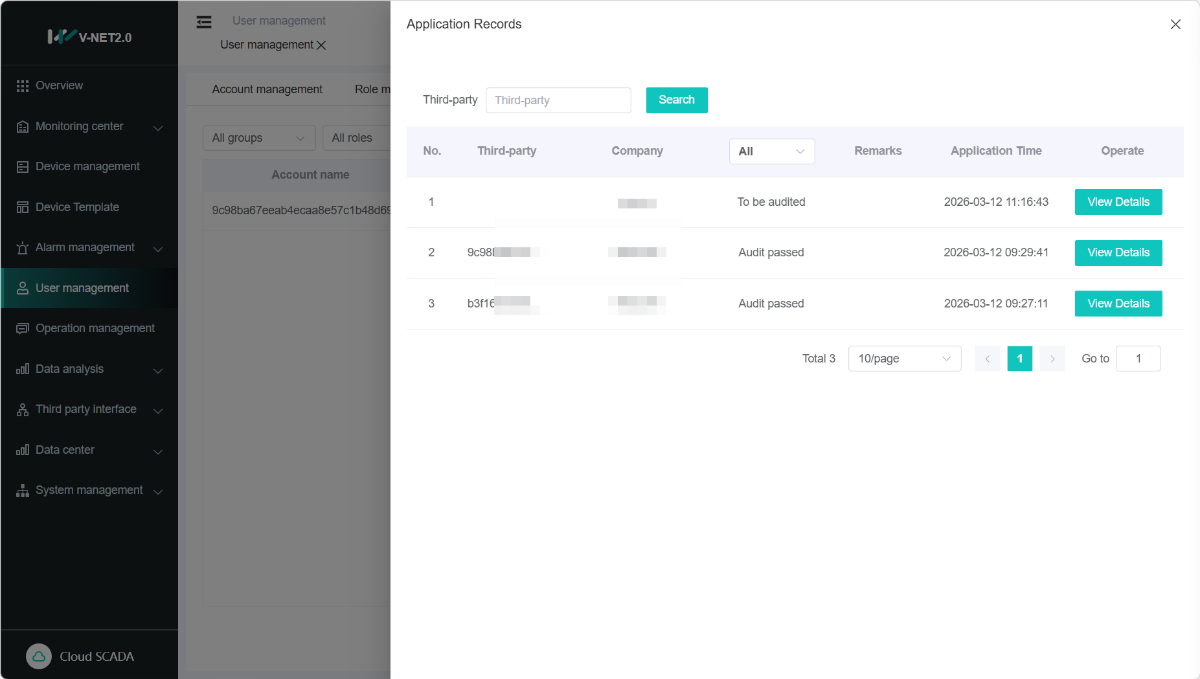
3.After submitting, you can check the progress in the [Application Records].
Managing Your Third-party Accounts
Once your application is approved, the newly generated third-party account name will appear in the account list on the page.The password for the new account will be the same as your current account password
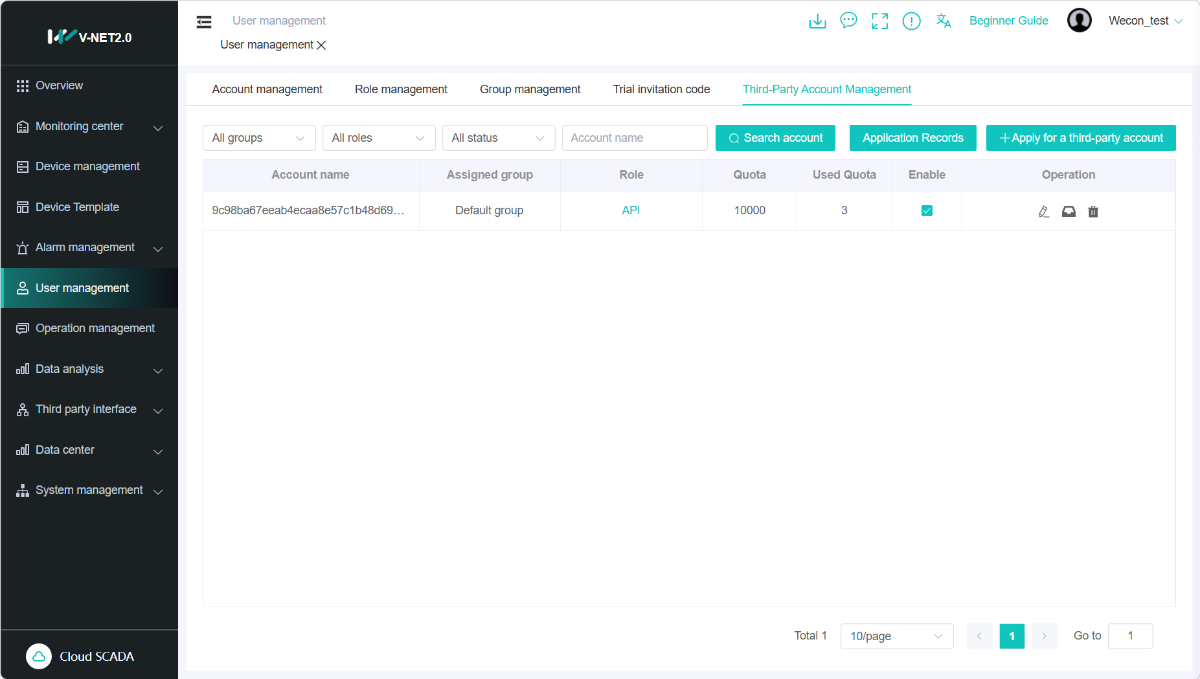
For each third-party account, you can view the following in the list:
- Quota: The total number of API requests allowed per month.
- Used Quota: The number of API requests used in the current month.
- Status: Whether the account is enabled or disabled.
Account Actions:
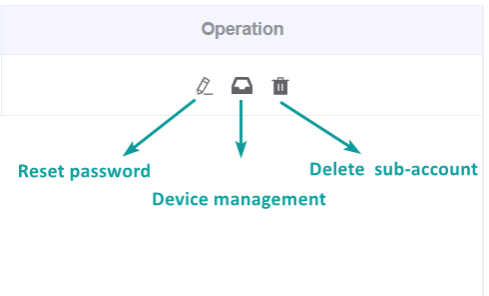
Click the three icons on the right side of the account list to perform the following actions:
- Reset password: Change the password for the third-party account.
- Device management: Associate the account with specific devices.
- Delete sub-account: Permanently remove the third-party account.