How to enable automatic playback of cloud SCADA alarm sounds in the browser?
Version 1.1 by Devin Chen on 2026/01/16 10:24
When there is an unconfirmed alarm record in the cloud SCADA components, the project will play an alarm sound.
However, due to the browser's website permission settings, a prompt similar to the one shown in the image below usually appears, reminding you to manually enable the alarm sound.

In such cases, you can modify the browser's website permission settings to achieve automatic playback of alarm sounds when accessing cloud SCADA.
The following are the configuration methods for several common browsers:
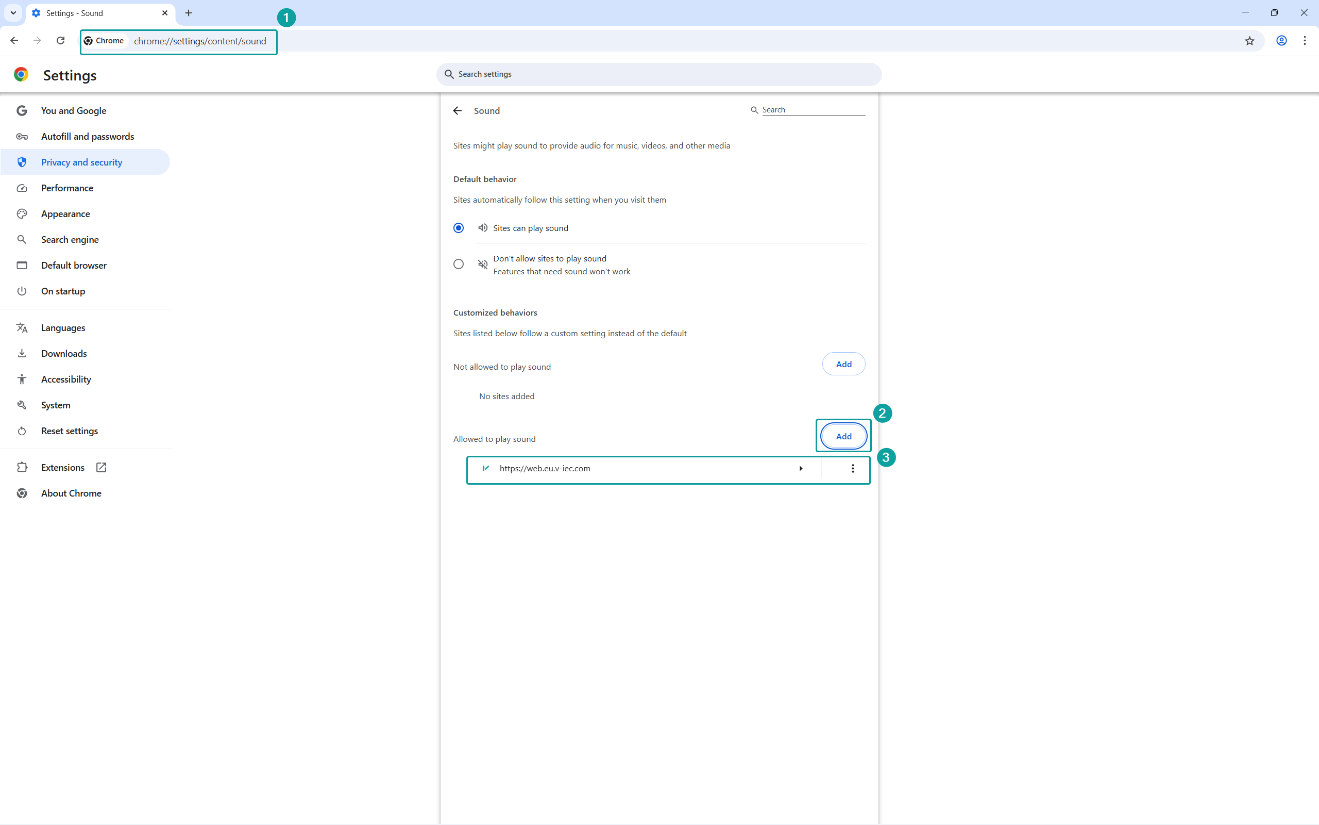
- Chrome:
- Open the browser and navigate to chrome://settings/content/sound to access the permission configuration page.
- For [Customized behaviors] → [Allowed to play sound], add the V-net platform URL (e.g., https://web.asean.v-iec.com or https://web.eu.v-iec.com).
- Edge:
- Open the browser and navigate to edge://settings/privacy/sitePermissions/allPermissions/mediaAutoplay to access the permission configuration page.
- For [Customized behaviors] → [Allowed], add the V-net platform URL (e.g., https://web.asean.v-iec.com or https://web.eu.v-iec.com).

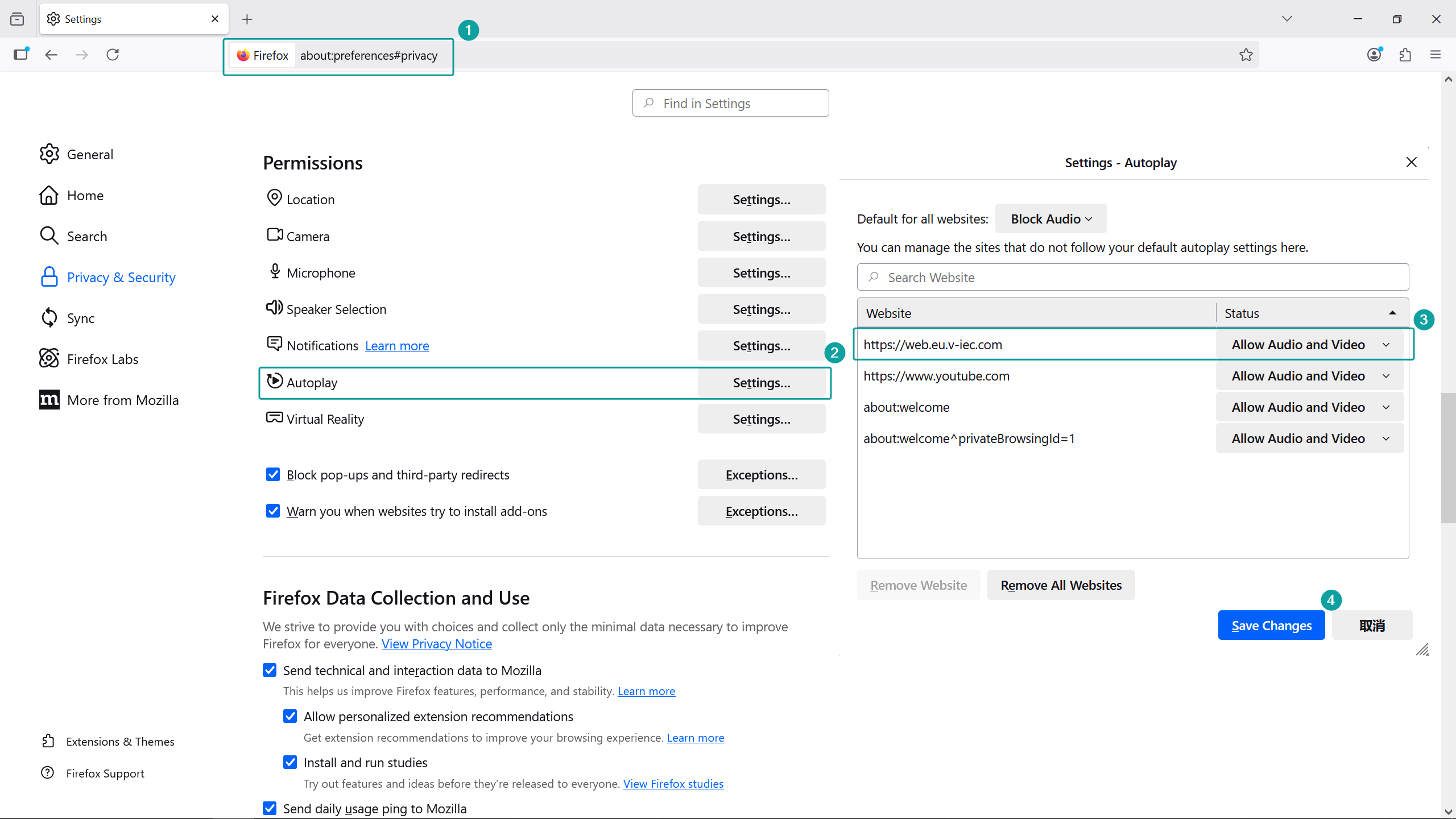
- Firefox:
- Open the browser and navigate to about:preferences#privacy to access the permission configuration page.
- For [Privacy & Security] → [Permission] → [Autoplay], change the V-net platform URL status to "Allow Audio and Video"..